Getting Started with SchoolManager
Set up your SchoolManager account, log in, and take your first steps to manage school operations efficiently.
Prerequisites
Before you begin, ensure you have the following ready:
- A valid school email address for registration
- School details like name, address, and contact information
- Admin access to your school's primary email for verification
- A modern web browser like Chrome or Firefox
Create and Verify Your Account
Follow these steps to register your SchoolManager account quickly.
Visit the Signup Page
Navigate to https://www.schoolmanager.app/signup and click Sign Up.
Fill Registration Form
Enter your school email, create a strong password, and provide basic school info like name and location.
Verify Email
Check your inbox for a verification email from SchoolManager. Click the link to activate your account.
Complete Onboarding
Return to the site, log in, and answer quick questions about your school size and needs.
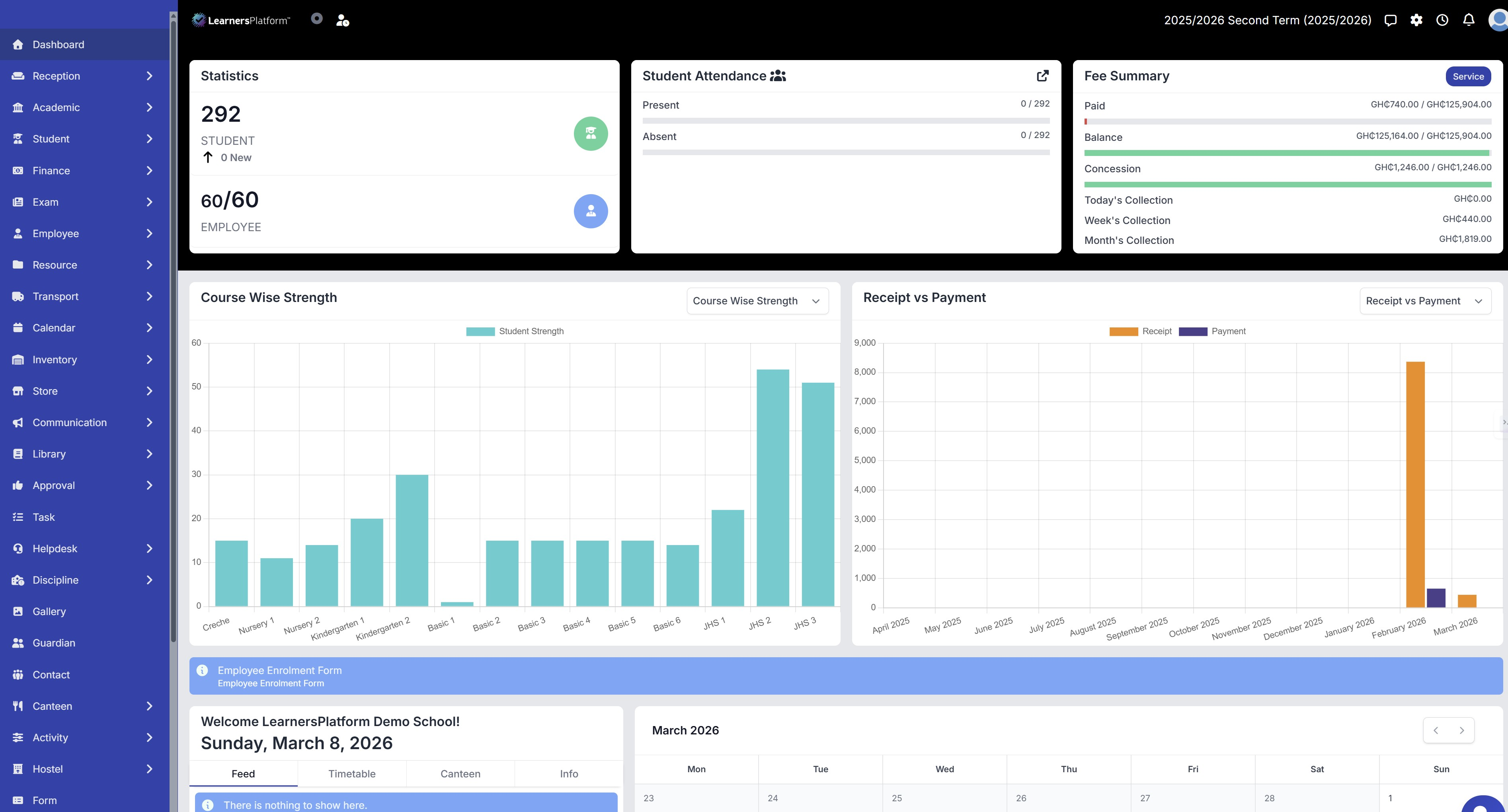
Log In and Access the Dashboard
Once verified, access your personalized dashboard.
Go to Login
Visit https://www.schoolmanager.app/login.
Enter Credentials
Use your school email and password. Enable two-factor authentication for security.
Dashboard Tour
You'll land on the main dashboard showing quick stats for admissions, attendance, and fees.
Bookmark https://www.schoolmanager.app/dashboard for direct access. Use incognito mode if testing multiple accounts.
Set Up Your School Profile
Configure essential details to unlock full features.
In the Settings > School Profile section:
School Name: Your School Name
Address: Street, City, Ghana
Headteacher: Full Name
Contact: +233 XXX XXX XXX
Save changes to update your profile across the platform.
Set your current term and academic year:
Academic Year: 2023/2024
Current Term: First Term
Start Date: 2023-09-01
This syncs with attendance and exams automatically.
Add initial classes and staff:
| Class | Teacher Assigned |
|---|---|
| KG | Mrs. Aboah |
| JHS 1 | Mr. Mensah |
Navigate to **Staff > Add Staff** and **Classes > Create Class**.
Explore Main Modules
Get familiar with core features using the sidebar navigation.
Admissions
Manage student enrollments and applications seamlessly.
Attendance
Track daily attendance with mobile-friendly check-ins.
Fees
Handle payments, invoices, and outstanding balances.
Next Steps
- Forgot Password? Use the reset link on the login page.
- Email Not Received? Check spam folder or contact support@schoolmanager.app.
- Slow Loading? Clear browser cache and ensure stable internet.
You're now ready to manage your school efficiently. Explore modules like parent SMS communication next.
Success! Your SchoolManager setup is complete. Customize further in Settings.
Last updated today
Built with Documentation.AI